















February 09, 2026
Your Solar Is a Goldmine—Your App Is the Map
Share my #SolaXStory


If you have solar panels, you own a personal power station. But if you’re still treating it like a “set and forget” appliance from 2015, you’re likely giving away your most valuable energy for pennies and buying it back for pounds.
The game has changed. Low feed-in tariffs and complex new electricity rates mean your solar app has transformed from a simple graph-viewer into the most powerful financial management tool in your home. It’s time to stop being a passive solar owner and start acting like an active energy manager.
This guide will show you how. We’ll unlock the hidden settings in your SolaXCloud app and teach you the strategies to understand the market, control your system, and take back control of your electricity bills.
“A kilowatt-hour of solar you use yourself is now worth nearly ten times more than one you export to the grid.”
Why ‘Set and Forget’ Solar Is Costing You Money
The old solar model was simple: install panels, export power, get paid. That model is broken. A tidal wave of solar energy floods the grid midday, making the power you export nearly worthless. To maximise energy savings, you must understand three new rules of the game.
Rule #1: Self-Consumption is King
Retailer Feed-in Tariff (FiT) rates—what you get paid for exporting—have collapsed. Meanwhile, the price you pay for power from the grid in the evening has skyrocketed.
The financial reality is brutal:
Energy you buy from the grid (evening peak): 40-60c/kWh
Energy you sell to the grid (midday): 4-5c/kWh
This means the solar power you use in your own home is now the most valuable energy you have. Your app is the only tool that gives you the visibility to ensure you use that power yourself.
Rule #2: Avoid the “Sun Tax”
Networks in areas like NSW are rolling out “two-way pricing,” or export tariffs—a literal Sun Tax. Under these schemes, you can be charged a fee for exporting power to the grid when it’s already congested (usually 10 am – 3 pm, or 10 am – 2 pm in some areas).
Failing to manage this means you could be paying for the privilege of giving your energy away. Your solar app’s “Export Control” features are your defence.
Rule #3: Master Your Time-of-Use Tariff
Nearly every energy plan is now a Time-of-Use (ToU) tariff. This isn’t a suggestion; it’s the new landscape. Your mission is to shift your energy use into the cheap “Solar Sponge” window and use your battery (or avoid the grid entirely) during the expensive “Peak” window.
The message is clear: use power midday, save power in the evening.
Key Takeaway: The value of solar has shifted from exporting power to using it yourself. Your app is essential for navigating new tariffs and avoiding export charges.
Your Mission Control: A 5-Minute App Health Check
Before you can command your system, you need to be able to read the instruments. Open your SolaXCloud app and let’s make sure you’re getting accurate data for your solar monitoring.
Is Your Inverter Online?
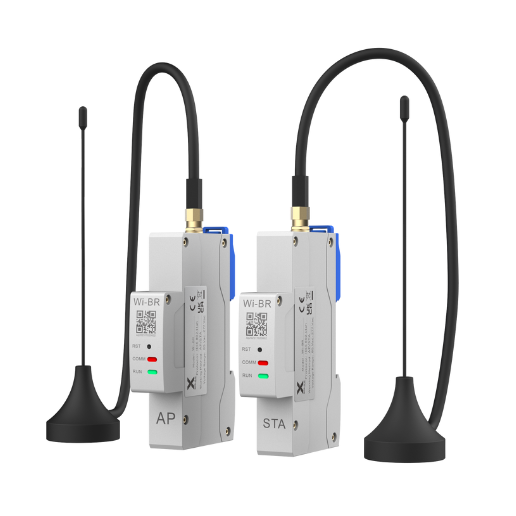
Your inverter talks to the app via a Pocket WiFi dongle. These only use the 2.4GHz Wi-Fi band, which can cause issues with modern “Mesh” systems.
The 4 Numbers That Matter Most
On your dashboard, ignore everything else and focus on these four metrics. They tell the entire story of your home’s energy flow.
PV Yield (Production): How much energy your panels are making right now.
Load / Consumed: How much energy your house is using right now.
Feed-in Energy (Export): How much spare power you’re selling to the grid.
Grid Consumption (Import): How much power you’re buying from the grid. This is your enemy. Your goal is to get this number to zero.
⚠️ Warning: The “Load / Consumed” number is only accurate if your installer fitted a Energy Meter or CT clamp. Without it, the app is flying blind and cannot accurately calculate your savings or self-consumption.
Key Takeaway: Ensure your app is connected and you understand the four key data streams: what you’re making, what you’re using, what you’re selling, and what you’re buying.
The Secret Weapon Hiding in Your App’s Settings
Your inverter’s default setting is designed to work okay for everyone. It is not designed to work perfectly for you. By changing one setting—the “Work Mode”—you can align your system with your specific electricity tariff and unlock significant savings.
Navigate to Settings > Advanced > Work Mode in your app. Here you’ll find your battery management options.
The Smart Default: Self-Use Mode
This is the standard mode for most systems and follows a smart priority list:
Power your home first.
Charge your battery with excess solar.
Export only what’s left.
This mode correctly prioritises high-value self-consumption. For 90% of users, this is the right place to start. You can also set a “Min SoC” (Minimum State of Charge) of 20% to keep a safety buffer for blackouts.
The Pro-Move: Force Time Use Mode
This is your secret weapon for anyone on a Time-of-Use tariff. It lets you create schedules to command your battery to charge or discharge at specific times, overriding the default logic to save you the most money.
Scenario 1: Winter Battery Top-Up
Your solar generation is low in winter, so your battery might not be full by the afternoon.
The Problem: You enter the expensive evening peak with a half-empty battery and have to buy grid power.
The Solution: Set a “Force Charge” window during your cheap “Solar Sponge” tariff (e.g., 11 am – 2 pm). The battery will use cheap grid power to top itself up to 100%, ready for the evening.
Scenario 2: Pre-Storm Blackout Prep
A major storm is forecast and you’re worried about losing power.
The Problem: Your battery is only at 50% when the grid goes down.
The Solution: Remotely activate Force Time Use mode to immediately charge your battery to 100% from the grid, ensuring you have maximum backup power when you need it most.
The “Almost Never” Option: Feed-in Priority Mode
This mode tells your system to prioritise exporting power over charging your battery. Given the low feed-in tariffs in Australia today, this mode is financially illogical. Avoid it unless you are on a rare, high-paying legacy feed-in tariff.
Key Takeaway: Switch your inverter’s Work Mode from the default to “Force Time Use” to align your battery’s behaviour with your Time-of-Use tariff for maximum savings.
Become a Solar Detective: Spotting ‘Silent Killers’ of Your Savings
Your app isn’t just a control panel; it’s a diagnostic tool. A regular check can help you spot technical issues that quietly drain your production and your bank account.
The #1 Culprit: Grid Overvoltage
On sunny days, the grid in a solar-heavy neighbourhood can get “full,” causing the voltage to rise. To protect itself, your inverter is required by Australian standards to shut down if the voltage gets too high (above 258V).
The Symptom: You look at your app and see your solar production graph looking like a saw-tooth—spiking up, then suddenly crashing to zero in the middle of the day, over and over. In affected homes, this can slash your daily generation by 30-50%.
The Diagnosis: In the app, go to “Inverter Analysis” and graph the “AC Voltage.” If you see the voltage hitting a flat ceiling around 255-258V just before your production drops, you’ve found the culprit.
The Solution: You can’t fix this yourself, but the graph from your app is the proof you need. Send a screenshot to your local network distributor (e.g., Ausgrid, Ergon, CitiPower) with a “quality of supply complaint.” They are obligated to investigate and fix their grid infrastructure.
Key Takeaway: Use your app’s detailed graphs to diagnose production issues like grid overvoltage. A screenshot of the voltage graph is the evidence you need to get your network to fix the problem.
The Final 20%: Simple Habits for Maximum Savings
The most powerful features in your app are the ones that inspire you to change your habits. Shifting when you use power—”load shifting”—is free and highly effective.
Use Your House as a “Thermal Battery”
Heating and cooling are your home’s biggest energy hogs. Instead of cranking the AC at 6 pm on expensive peak power, use your free solar power strategically.
Run your air conditioner during the “Solar Sponge” window (10 am – 3 pm) to pre-cool your home a few degrees colder than usual. The building’s thermal mass will trap the cool air, keeping you comfortable for hours into the evening without needing to touch the grid.
Shift Your “Big 3” Energy Loads
Identify your three biggest non-essential power users and schedule them to run in the middle of the day.
✓ Pool Pumps: A pump can use over 1kW. Set its timer to run strictly between 9 am and 4 pm.
✓ Hot Water: A simple timer on your electric hot water system to make it run between 11 am and 2 pm is far cheaper than letting it run on overnight off-peak rates.
✓ Electric Vehicles (EVs): If you charge your EV at home, program the car or the charger to only draw power during your solar generation window..
Key Takeaway: The data from your app should empower you to shift your heavy energy usage (like AC, pool pumps, and EV charging) into the middle of the day to run on free solar power.
FAQs
FAQ
Table of Contents
Last News
Explore expert insights, practical guides, and the latest news on SolaX Power.



To the Latest Newsletter
Stay Ahead with the Latest SolaX Updates!
Sign up
I have read and agree to Privacy Policy and User Terms